Overview
Where can I find a Batch Print Summary? Batch Print Summaries will be emailed to you shortly after your Batch Print Job has completed.
1. Navigate to your email
2. Search for the Batch Print Job Summary email
3. Review the email summary
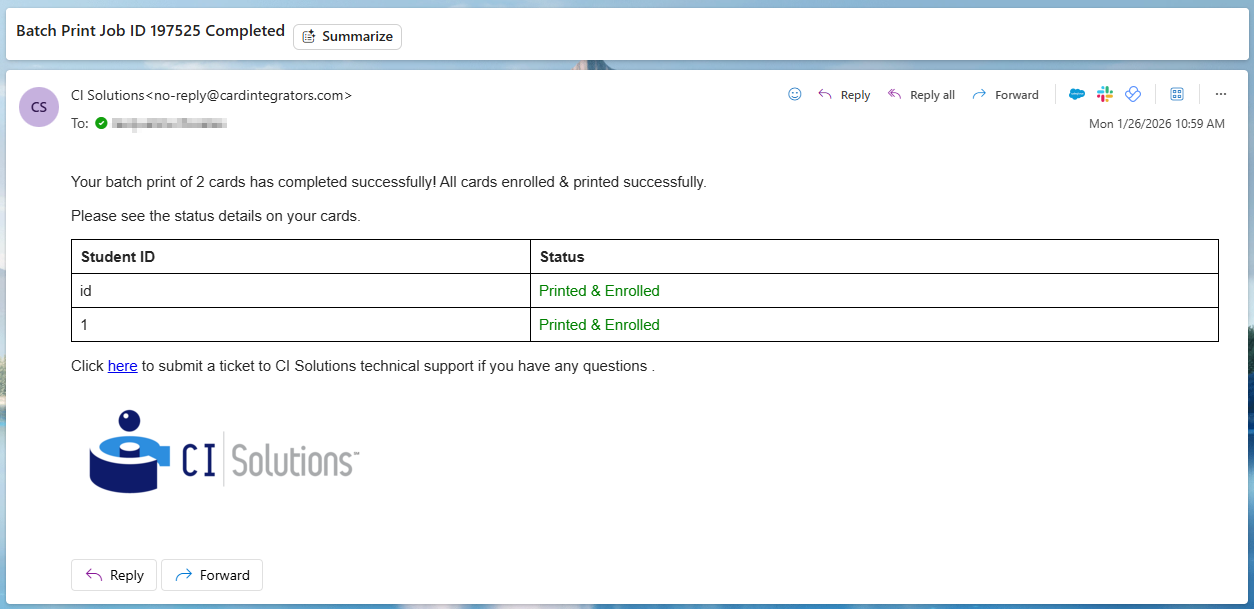
What is a Batch Print Summary? Batch Print Summaries are an overview of how your print job completed. It will let you know if each card was printed successfully or not.
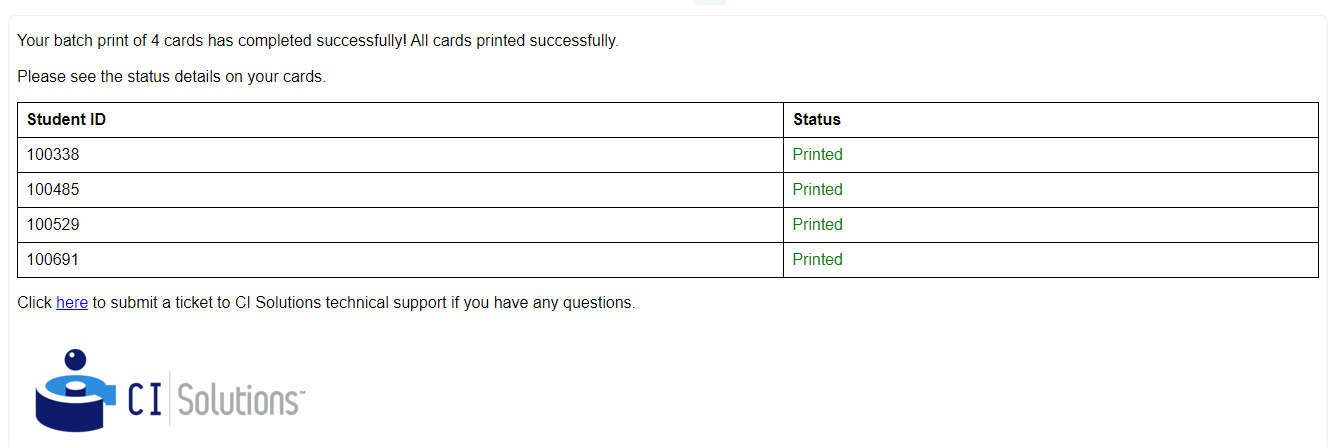
Status: Printed
Statuses with 'Printed' mean the cards have successfully printed!
Example of a successful summary:
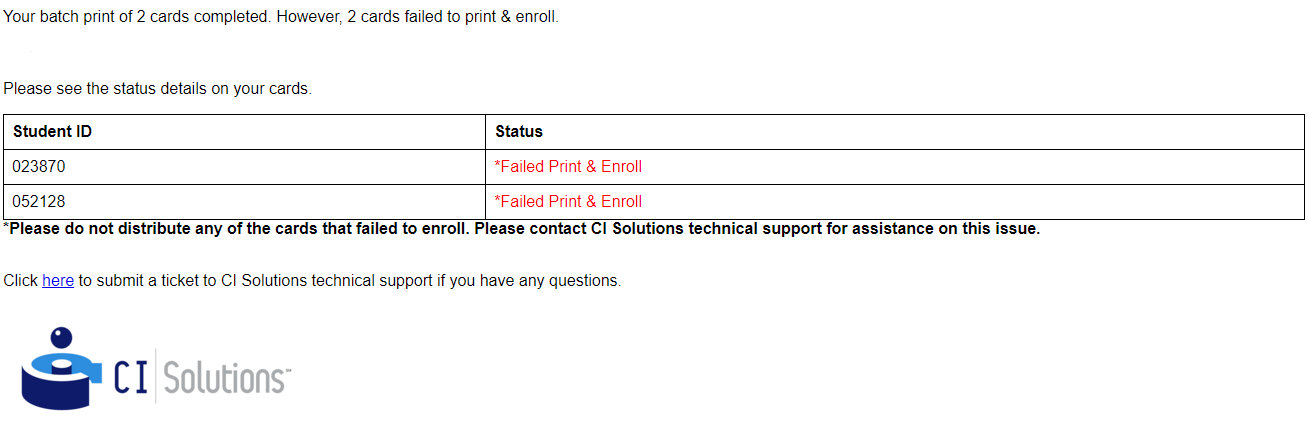
Status: Failed to Print & Enroll
Statuses with 'Failed Print & Enroll' mean there was an error when printing the record, and the card did not print successfully.
If the card has a Failed to Print and Enroll status, do not immediately distribute it.
- If the card did print, the card is not activated. The card will need to be manually added into your third-party system to activate it. Or, try re-printing the card and ensure the re-print enrolls properly.
- If the card didn't print at all, try reprinting the card.
Example of a failed summary:
Was this article helpful?
That’s Great!
Thank you for your feedback
Sorry! We couldn't be helpful
Thank you for your feedback
Feedback sent
We appreciate your effort and will try to fix the article