When printing RFID-enabled badges, you may see the following error message:
Printer Error
The Elatec encoder in the printer was not found. Since this is an RFID list, please make sure the selected printer can support this operation. Please try again. If the problem persists, please submit a support case.
This error means that the printer configuration is set up incorrectly to encode badges. To resolve this, you will need to verify and adjust the USB setting in the printer configuration.
Steps to Fix Printer Configuration on a CIX900
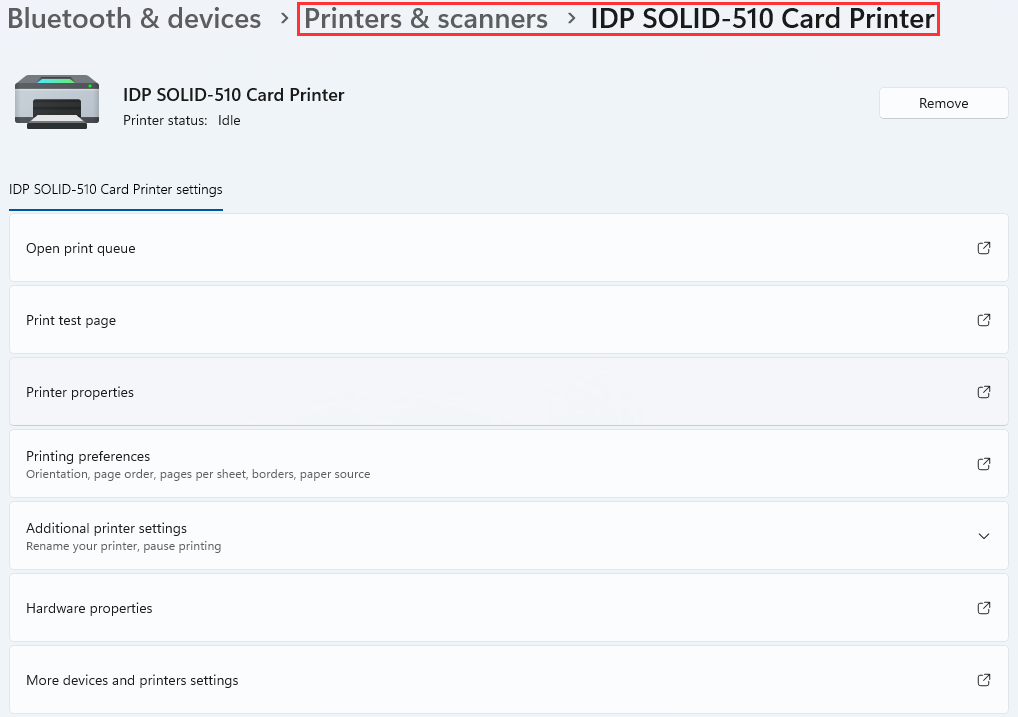
1. Go to Printers & Scanners in your Settings > Select your printer
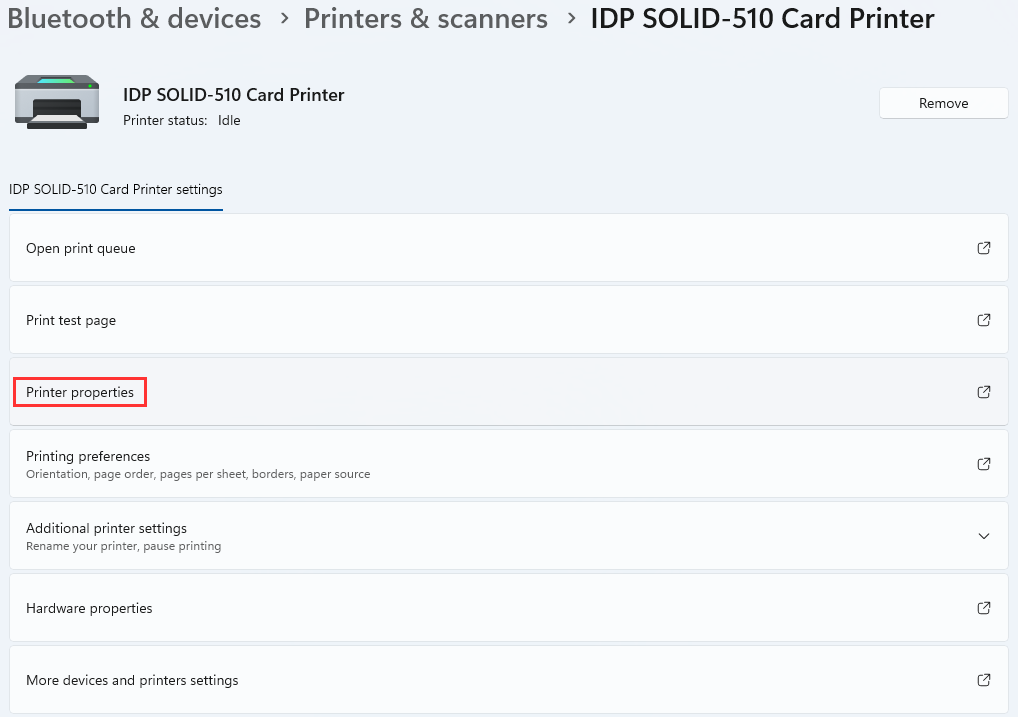
2. Open the Printer Properties
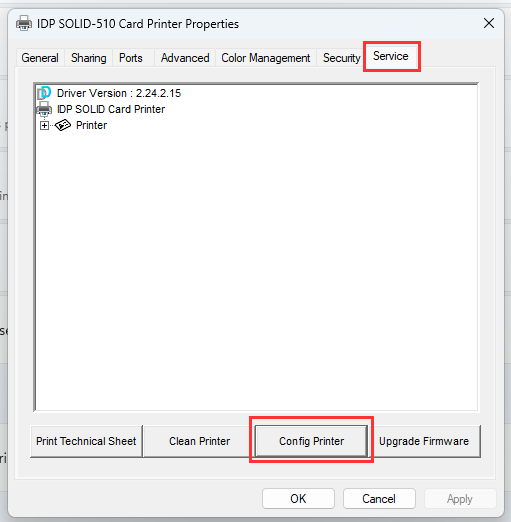
3. Go to the Service tab and select Config Printer
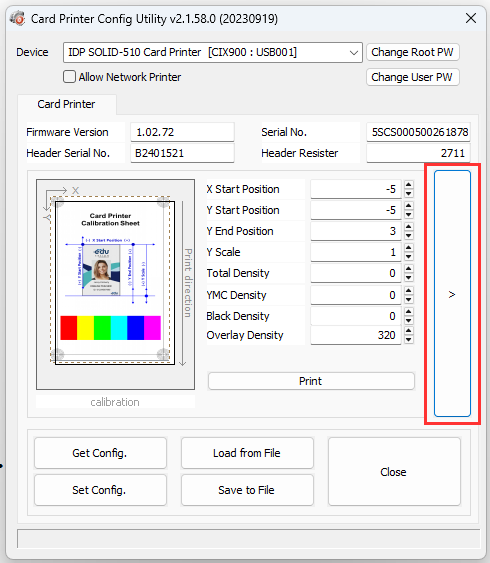
4. Open the Configuration Settings with the arrow >
5. Scroll down to Use USB Serial and select Use
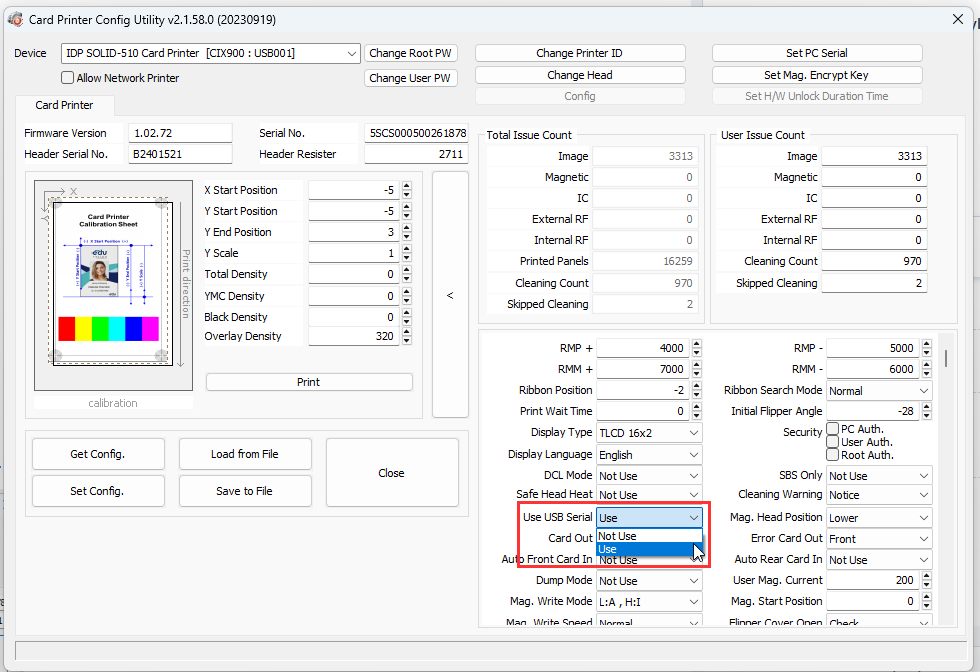
6. Select Set Config, and wait for it to finish loading
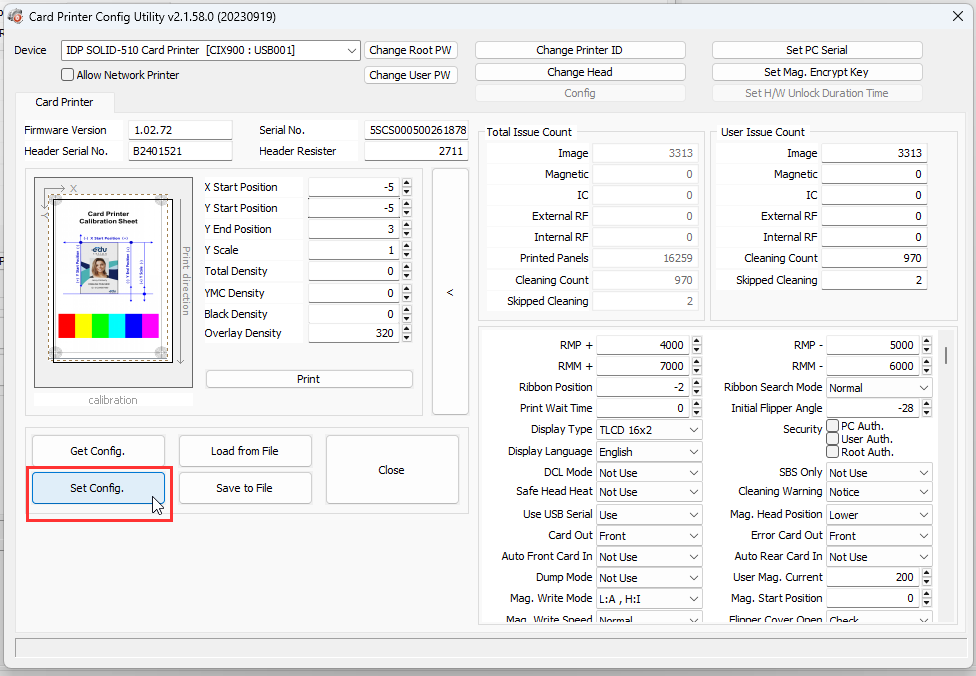
7. Restart the printer by turning it off, waiting a few seconds, then turning it on
Was this article helpful?
That’s Great!
Thank you for your feedback
Sorry! We couldn't be helpful
Thank you for your feedback
Feedback sent
We appreciate your effort and will try to fix the article